For most UK practices, the question about whether to automate or not is history. Various studies show practices investing heavily into automation, which includes software procurement, and the necessary subscription to tools. The question now is what to do with the work that automation cannot touch, and that is where a lot of firms are quietly losing money in 2026.
The answers are more than meet the eye. While some tasks can be automated using software, there are others that belong outside of your practice. A smaller core stays in-house within the practice. In order to get automation right, it’s requires you to sort your work in these three piles properly. Sort it badly and you end up automating the wrong tasks while your senior accountants spend the last week of every quarter chasing paperwork.
This guide covers how to make that split, which accounting automation tools UK 2026 has to offer are worth the money, and where each of them falls short.
Why the automate-or-outsource question matters more in 2026
A big part of the automation puzzle is Making Tax Digital for Income Tax, which is now live. Starting 6 April 2026, sole traders and landlords with qualifying income above £50,000 have to keep digital records and send HMRC quarterly updates through recognised software. The threshold falls to £30,000 in April 2027 and £20,000 in April 2028. VJM Global puts the first phase alone at around 864,000 individuals.
For a practice, that means more submissions, tighter deadlines, and clients who expect the whole thing to run digitally. Handling that with extra manual hours is not realistic when good staff are hard to find and harder to keep.
The adoption figures show how far the pressure has pushed firms. The Bank of England’s 2024 survey of AI in UK financial services found roughly three-quarters of firms already using artificial intelligence in some form. Multiple reports also show that a well-planned automation setup cuts manual processing time by 40 to 60 per cent per client cycle.
What accounting automation actually does
Accounting workflow automation UK tools are cloud platforms that use rules, bank connections, OCR and machine learning to run repeatable finance work without anyone typing it out. Instead of your team keying invoices, coding transactions or copying payroll figures into the ledger, the software does it across every client at once.
A good way to sum up the common feature set would be as follows: automated bank feeds and reconciliations, OCR data extraction, workflow and task automation, client auto-reminders, template-driven compliance, live dashboards, and automated document collection.
The bigger shift over the past year has been the move from rules to agents. Older automation followed fixed instructions and broke the moment a transaction did not fit the rule. The newer wave, what vendors call agentic AI, reads the context and makes a decision. Here is the line clearly drawn in the 2026 analysis for UK practices.
| Aspect | Traditional automation | Agentic AI |
|---|---|---|
| What it does | Runs fixed rules | Completes multi-step workflows |
| Adaptability | None | High |
| Decision-making | None | Autonomous within limits |
| Human input | Needed for every exception | Needed mainly for review |
| Example | Rule-based data entry | An agent that reconciles, posts, then flags oddities |
Agentic tools will ideally take 50 to 70 per cent off the time spent on repetitive work. Their worked examples are the ones to remember: an invoice that took ten minutes to process drops to two, and a bank reconciliation that ran to two hours comes down to about thirty minutes.
What accounting task should be automated
Software is best at tasks that repeat, follow a pattern, and have a clear right answer.
| Task | Why it suits automation | What you gain |
|---|---|---|
| Bookkeeping and data entry | Bank feeds and rules categorise transactions with little judgement | Cleaner ledgers, far less keying |
| Bank reconciliation | Pattern matching across feeds is what machines do well | Faster month-end, fewer missed items |
| Invoice processing (AP) | OCR reads and codes invoices, then routes approvals | Hours back per client, a better audit trail |
| Expense management | Receipts captured by app and coded against policy | Less chasing, cleaner VAT |
| Payroll runs | Calculations, payslips and RTI submissions follow set rules | Reliable, repeatable, on time |
| VAT return preparation | Figures pull straight from digital records for review | MTD-ready, quicker turnaround |
| Reminders and reporting | Standard schedules and templates | The same output whoever is on the job |
These tasks share some things in common. They are generally high volume, low ambiguity and can be figured out easily. That is the automation sweet spot, and it is where bookkeeping automation UK firms depend on already exist. Point your invest in software spend here.
One caution that business tend to skip is that automation only works on a tidy process. Practices that buy tools before fixing the underlying workflow usually do not get the results they were sold. Its important to standardise the process first and then automate it. Start with one thing, normally bank reconciliation, prove it works, and build out from there.
What accounting tasks should be outsourced
Outsourcing solves a different problem. Software removes the typing. It does not remove the need for a qualified person to review the output, deal with the difficult client, or cover a surge of work you cannot hire for in time.
That is the work an outsourced team takes on. Think of everything that still needs a trained brain but does not need your brain, at your desk, on your payroll. Overflow during VAT quarters. Year-end accounts prep. The messy reconciliations. A batch of new clients to onboard. The exceptions the software kicked out for review.
The economics are the clear. Multiple data points show that roughly £1,400 to £3,000 per month per full-time equivalent can be saved. On the other hand, offshore delivery can free up 40 to 60 percent against the cost of in-house staff. For a firm trying to grow without piling on permanent salaries, that math is difficult to argue with. When used together, they let a firm take on more clients without the usual scramble for extra hands.
A quick test for sorting any task
When you are unsure where a task belongs, put it through these three questions.
| Question | If yes, lean towards |
|---|---|
| Is it repetitive with a clear rule? | Automate it |
| Does it need a qualified person, but not specifically your people at your desk? | Outsource it |
| Does it hang on the client relationship, your firm’s judgement, or sign-off? | Keep it in-house |
Client advisory, final review and the relationship itself belong to you. Reconciliations belong in AI. A large slice of the middle, the qualified but non-core work, is a strong candidate for an outsourced partner. Most firms that get stuck have tried to automate that middle, which software handles badly, or to hire for the bottom, which wastes good people on data entry.
What are the best accounting automation tools in 2026
There is no shortage of choice, and no single tool fits every practice. The write-ups below cover the tools that come up most in UK practices, each with what it does, where it earns its keep, and where it lets you down. Entry pricing moves often, so treat the figures as a starting point rather than a quote.
xero
Xero is the platform most UK accountants build their processes around, and the numbers back that up. VJM Global reports around 4.2 million subscribers worldwide, and Capterra data cited by Snyp put it near 45 per cent of the UK small business and freelancer market. Its strengths are strong bank reconciliation with smart matching, more than a thousand app integrations, unlimited users on every plan, and receipt capture and expense claims as standard. It even supports foreign property income under MTD, which several rivals hold back for higher tiers.
The reason so many firms standardise on it is the accountant-client design. Multi-user access and shared live data are native, not bolted on. The flaws are real, though. Payroll is a separate add-on rather than part of the core plan. Costs stack quickly as you add users, multi-currency and higher tiers. The entry plan carries caps that growing businesses hit sooner than they expect, and for a very simple sole trader the whole thing can feel like more software than the job needs.
| Attribute | Detail |
|---|---|
| Best for | Small to mid-sized practices and growing SMEs |
| Firm size | Sole trader up to mid-market, strongest at 1 to 50 staff |
| Specialisation | Cloud ledger built around accountant and client collaboration |
| Key features | Smart bank reconciliation, 1,000+ integrations, unlimited users on every plan, receipt capture, expense claims, foreign property income under MTD |
| Payroll | Paid add-on, not in the core plan |
| HMRC / MTD | Recognised for VAT and Income Tax (sole trader, UK and foreign property) |
| Entry cost (ex VAT) | From about £16 per month, rising with tiers |
| Main flaw | Payroll costs extra and total cost stacks as you add users and features |
QuickBooks Online
QuickBooks is the global heavyweight, with more than seven million subscribers worldwide by VJM Global’s count. In the UK it sits as a strong second that has been closing the gap. Its mobile app is the best of the bunch, with automatic mileage tracking, and its bank feed uses AI that gets better at categorising the more it sees. Multi-currency comes in on lower tiers than most, and cash flow forecasting is built in. For a client base full of SMEs and sole traders, it does the everyday job well.
Where it frustrates: pricing has climbed steadily, which stings any firm juggling many client subscriptions. The newer AI tools, including the Finance Agent, only appear on higher-tier plans, so the Sole Trader plan misses out. Some accountants still find it less practice-native than Xero. And UK users no longer have a Desktop option at all, since Intuit pulled it in 2023, so QuickBooks Online is the only version available.
| Attribute | Detail |
|---|---|
| Best for | SME and sole-trader-heavy client bases |
| Firm size | Freelancers to more complex small businesses (Sole Trader to Advanced tiers) |
| Specialisation | Mobile-first accounting with an AI-assisted bank feed |
| Key features | Leading mobile app with mileage tracking, AI categorisation, multi-currency on lower tiers, cash flow forecasting, Finance Agent AI on higher plans |
| Payroll | Paid add-on |
| HMRC / MTD | Recognised for VAT and Income Tax (sole trader, UK property) |
| Entry cost (ex VAT) | From about £10 (Sole Trader) to £14 (Simple Start) per month |
| Main flaw | Prices rise year on year, and the newer AI tools are locked to higher tiers |
Sage
Sage has more than forty years of UK roots, and its cloud product, Sage Accounting, has shaken off the dated desktop feel. Its standout is payroll bundled into every accounting plan, which sets it apart from Xero and QuickBooks, where payroll costs extra. It also ships Sage Copilot, an AI assistant that handles admin and receipt capture, alongside cash flow forecasting and branded invoicing. For service businesses that want accounts and payroll in one place, it is a natural fit, and Sage Intacct steps up for multi-entity and mid-market work.
The weak spots are the mobile app, which is more limited than QuickBooks’, and a third-party app ecosystem that is smaller than Xero’s. Invoicing has historically lagged the competition, and the wider Sage range can feel sprawling until you settle on the right product. Ad-spend data from Adthena, reported by TechFinitive for February 2026, still put Sage third on UK search spend at 13.19 per cent, behind Xero and QuickBooks, which tells you where the momentum sits.
| Attribute | Detail |
|---|---|
| Best for | Service SMEs that want accounting and payroll in one place |
| Firm size | Sole trader to mid-market, multi-entity via Sage Intacct |
| Specialisation | UK-first accounting with payroll built in |
| Key features | Payroll in every accounting plan, Sage Copilot AI assistant, cash flow forecasting, branded invoicing, Sage Intacct for multi-entity consolidation |
| Payroll | Built in on all accounting plans |
| HMRC / MTD | Recognised for VAT and Income Tax |
| Entry cost (ex VAT) | Free sole trader plan, then about £14 to £18 per month |
| Main flaw | Mobile app and app ecosystem trail Xero and QuickBooks |
Zoho Books
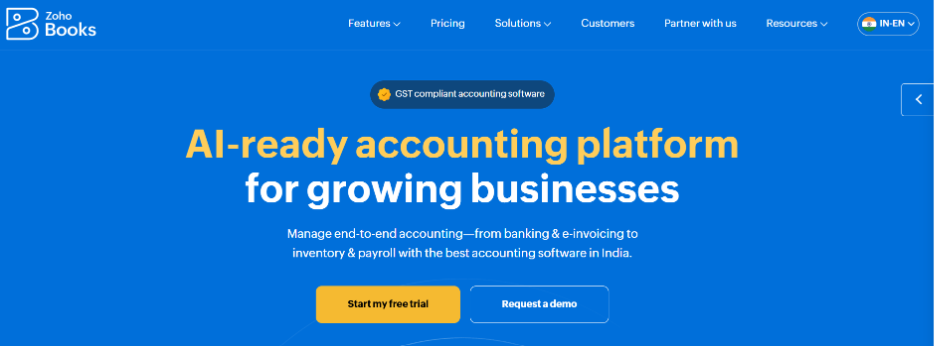
Zoho Books is the value pick, and VJM Global rates it the best overall for small businesses on price and ease. It has a genuinely useful free plan for firms under 1,000 invoices and expenses a year, a clean dashboard that beginners take to quickly, automated bank feeds, receipt scanning, a client portal and project time tracking. If a business already runs Zoho CRM or mail, the joined-up ecosystem is a real advantage, and it is HMRC-recognised for MTD.
Its main UK limitation is the lack of built-in payroll, which means a third-party integration if the business has staff. The other catch is softer but matters: fewer UK accountants build their practice around Zoho, so handing a file to an external adviser can be less smooth than with Xero or QuickBooks. For a growing business that will want local specialist support, that is worth thinking about early.
| Attribute | Detail |
|---|---|
| Best for | Beginners, micro-businesses and existing Zoho users |
| Firm size | Solopreneurs and small businesses |
| Specialisation | Low-cost, easy setup with tight Zoho ecosystem links |
| Key features | Free plan up to 1,000 invoices and expenses a year, clean dashboard, automated bank feeds, receipt scanning, client portal, project time tracking |
| Payroll | None built in, needs a third-party integration |
| HMRC / MTD | Recognised for MTD (sole trader, UK property) |
| Entry cost (ex VAT) | Free tier, then paid plans from about £12 per month |
| Main flaw | No payroll and fewer UK accountants build their practice around it |
FreeAgent

FreeAgent, owned by NatWest Group, supports more than 200,000 UK businesses and is built squarely for freelancers, contractors and small limited companies. Its Tax Timeline showing what is owed and when, real-time Self Assessment estimates and clear cash flow view make it unusually easy for non-accountants to follow. The headline is the price. It is free for qualifying NatWest, RBS, Ulster Bank and Mettle account holders, which is hard to beat.
The flaws follow from its focus. The free access only applies if the business banks with the right group. It is designed for small and simple, so multi-entity structures, heavy inventory and complex reporting are not its territory. Growing businesses tend to outgrow it, and the integration set is narrower than the larger platforms. For the audience it is built for, though, few tools are clearer or better value.
| Attribute | Detail |
|---|---|
| Best for | Freelancers, contractors and small limited companies |
| Firm size | Sole traders and small limited companies |
| Specialisation | Freelancer-friendly tax clarity and forecasting |
| Key features | Tax Timeline, real-time Self Assessment estimates, cash flow forecasting, receipt capture, expense categorisation |
| Payroll | Built in, suited to small teams |
| HMRC / MTD | Recognised for MTD (sole trader, UK property) |
| Entry cost (ex VAT) | Free with an eligible NatWest, RBS, Ulster Bank or Mettle account, otherwise from about £10 per month |
| Main flaw | Free access is bank-dependent and it is not built for complex or multi-entity work |
Which accounting software is accepted by HMRC?
HMRC keeps a public list of software that has passed its Making Tax Digital testing, and you can file with anything on it. Anything off the list should be avoided for submissions, because HMRC can reject filings that come from tools it has not recognised. The full-service packages on the list include Xero, QuickBooks, FreeAgent, Sage and Zoho Books. If a client will not give up their spreadsheet, bridging software such as GoFile, 123 Sheets or VitalTax sits on top of it and pushes the figures across through the digital link HMRC requires.
There is one point worth spelling out to clients. As MTD.digital explains, “HMRC-recognised” only means the software has been tested to connect with HMRC’s systems. It is not a quality score, and it is not a sign that HMRC endorses the tool or that the tool suits a given business. That judgement is still yours to make.
What is the most used accounting software in the UK?
There is no single agreed figure, because different measures count different things:
- For small business and freelancer Xero has the majority market share of around 45 per cent, ahead of QuickBooks Online near 28 per cent.
- By ad-spend share, Xero is at 45.11 per cent of UK payroll and accounting search spend; while QuickBooks is on 17.78 and Sage on 13.19.
- On the other hand, globally QuickBooks is well ahead of the rest.
For a UK practice the practical read is simpler than the numbers suggest. Xero and QuickBooks are the two most firms weigh up. Sage remains a heavyweight on the back of its UK roots and bundled payroll. Zoho Books and FreeAgent have grown quickly among sole traders, helped by free tiers. On raw scale, VJM Global counts:
- QuickBooks past seven million subscribers worldwide
- Xero at roughly 4.2 million worldwide
- FreeAgent behind more than 200,000 UK businesses
Is AI replacing bookkeepers?
The short answer is no. Nonetheless, it is changing the job fundamentally.
An honest look at 2026 data reveals what is otherwise called the human-in-the-loop model, where AI handles roughly 80 per cent of the routine processing and a qualified person reviews and approves the rest. The machine reconciles, codes and drafts. The bookkeeper checks the exceptions, catches the confident mistakes, and handles anything that needs judgement.
Nonetheless, its important to keep in mind that AI still hallucinates, which means it can produce output that looks right, however in reality it is not. It can miss a change in HMRC guidance. It carries real data-security and reputation risk if nobody is watching it. A mistake that reaches a client, or HMRC, does far more damage than the time the tool saved. Human review is what keeps that from happening.
So, the role moves from production to review and advisory. Less time keying, more time interpreting and advising. For bookkeepers and accountants who are relatively prudent with their approach, come out ahead.
Final thoughts on Automation and Outsourcing
The firms getting real value from automation in 2026 are not the ones that bought the most software. They are the ones that sorted their work diligently. Rule-based volume goes to automation. Qualified, non-core and overflow work goes to an outsourced partner. Client relationships, review and sign-off stay in-house, owned by someone accountable for the result.
Always remember that software gives you scale and people give you judgement. Automation on its own does not transform a practice, the mix of the right tools and capable people does. Pick one process, prove the model, and build out from there.
Frequently Asked Questions
Yes. QuickBooks is HMRC-recognised for Making Tax Digital for both VAT and Income Tax Self Assessment, and it supports digital record-keeping and quarterly updates for sole trader and UK property income. As with any tool, check that your specific income type is supported on HMRC’s list before relying on it.
Automation uses software to run repeatable tasks with little or no human input. Outsourcing hands work to a qualified team outside your practice. Automation takes away the typing, outsourcing supplies the judgement and the extra capacity. Most UK firms now run both, with software handling routine volume and an outsourced partner covering complexity and overflow.
Bank reconciliation and bookkeeping are the usual starting points, since bank feeds and rules do most of the work and the payback comes quickly. Invoice processing, expense capture, payroll runs and VAT preparation follow close behind. Pilot one process, measure the time saved, then expand.
Not on its own. Software removes manual processing, but a qualified person still has to review the output, deal with exceptions, answer complex queries and advise clients. Many practices run a hybrid model, letting automation handle the volume while an outsourced team covers the specialist and overflow work. It is how firms scale without adding permanent headcount.